2025-02-02

How to Downgrade Firmware

Step-by-step firmware downgrade training.

By Tesla Fix
How To Downgrade Firmware - Image 1 How To Downgrade Firmware - Image 2 How To Downgrade Firmware - Image 3 How To Downgrade Firmware - Image 4 How To Downgrade Firmware - Image 5 How To Downgrade Firmware - Image 6 How To Downgrade Firmware - Image 7 How To Downgrade Firmware - Image 8 How To Downgrade Firmware - Image 9 How To Downgrade Firmware - Image 10 How To Downgrade Firmware - Image 11

How to Downgrade Firmware

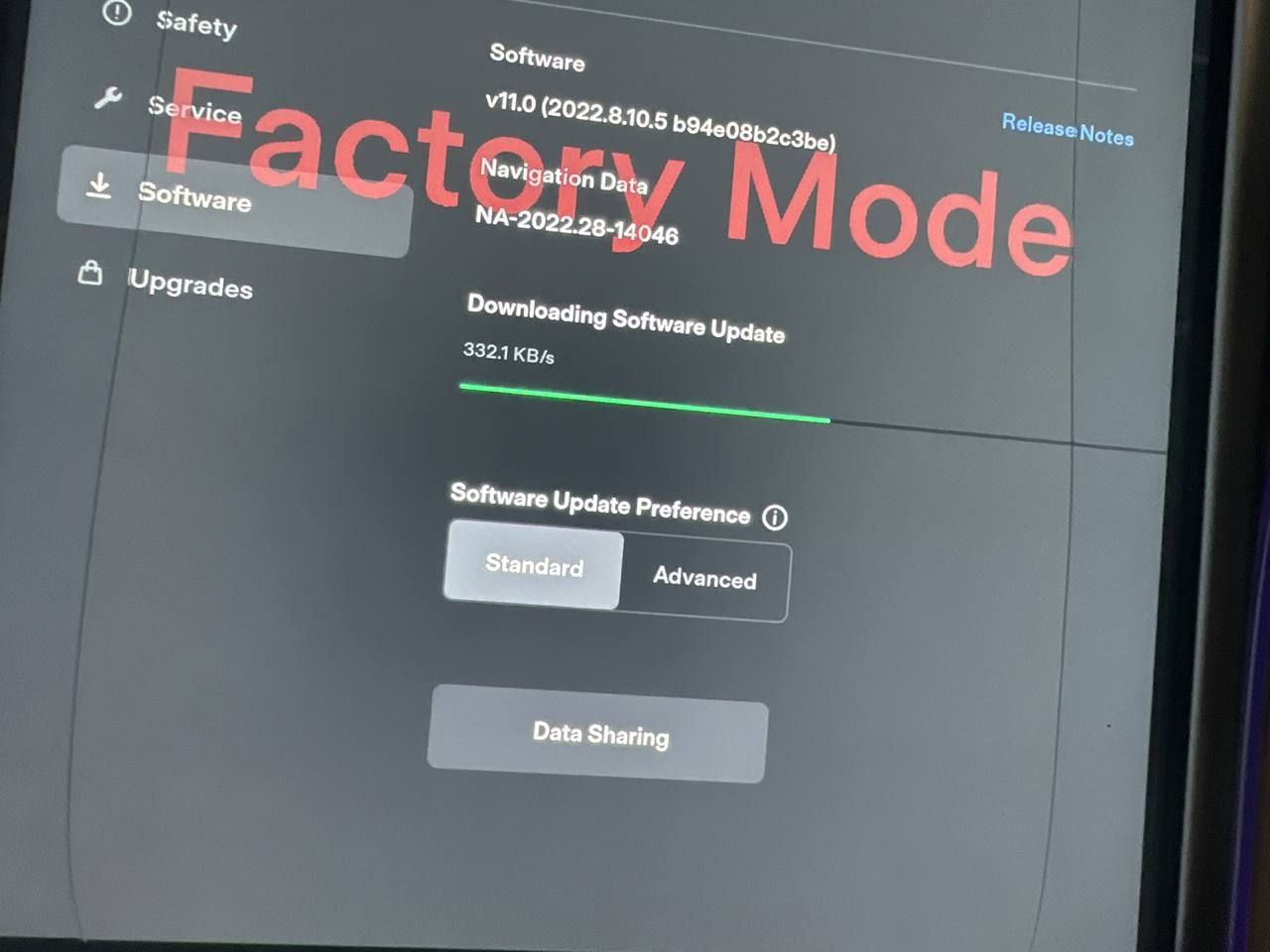
Enter Factory Mode on Latest Firmware

MCU1 Tegra Model S X

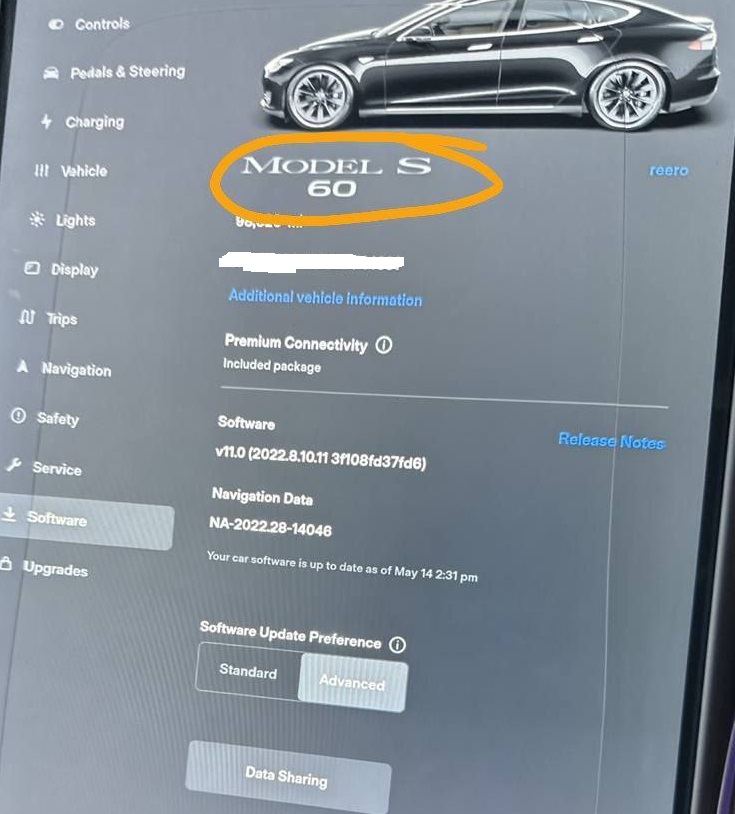
Downgrade Firmware to 2022.8.10.5

I have MCU1 update file and files for AP1, AP2, AP2.5.

Also I have handshake server with signatures for MCU1 firmwares.

What I Need to Downgrade Firmware?

  1. Laptop with Windows 10 or 11

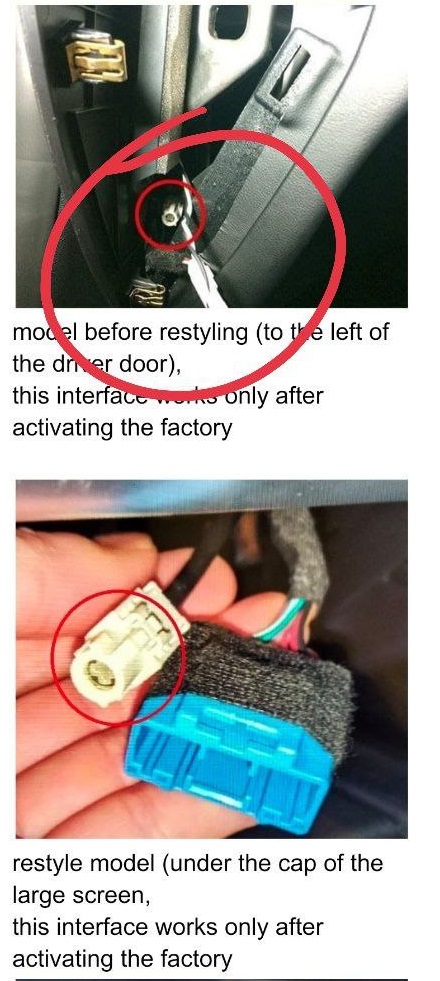
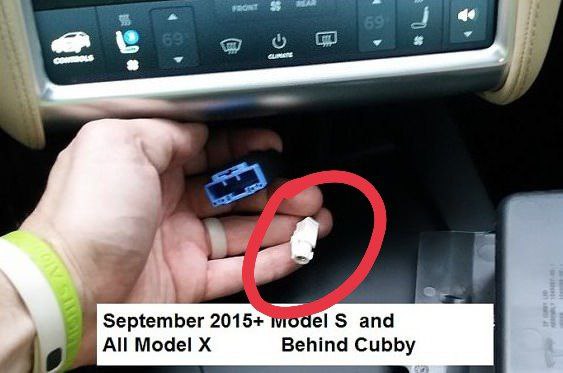
  2. Buy Fakra LAN cable on eBay or Amazon

After Downgrading to 2022.8.10.5 FW

You can again:

  • Enter factory mode again
  • Use Toolbox 2.1 offline
  • I can make root with activate fastcharge and block FW update

Long Press for Service Mode

Enter password service

Connect diag cable

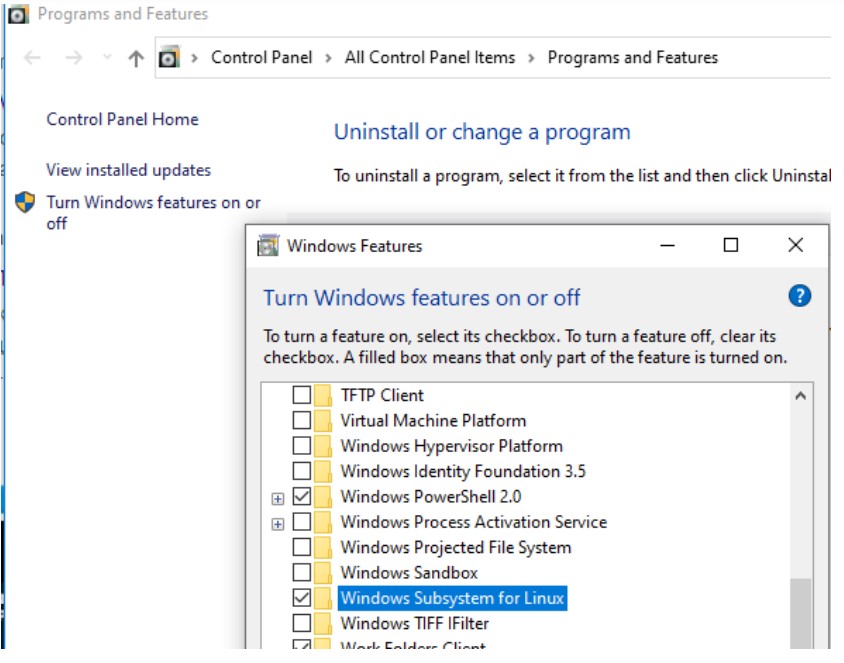
Turn on Windows Subsystem for Linux

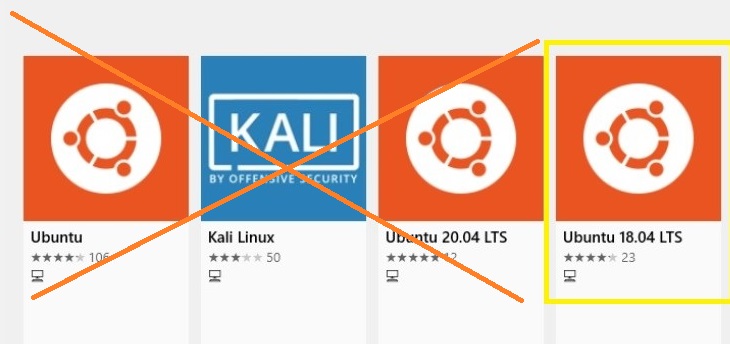
Download Ubuntu 18 from Windows Store

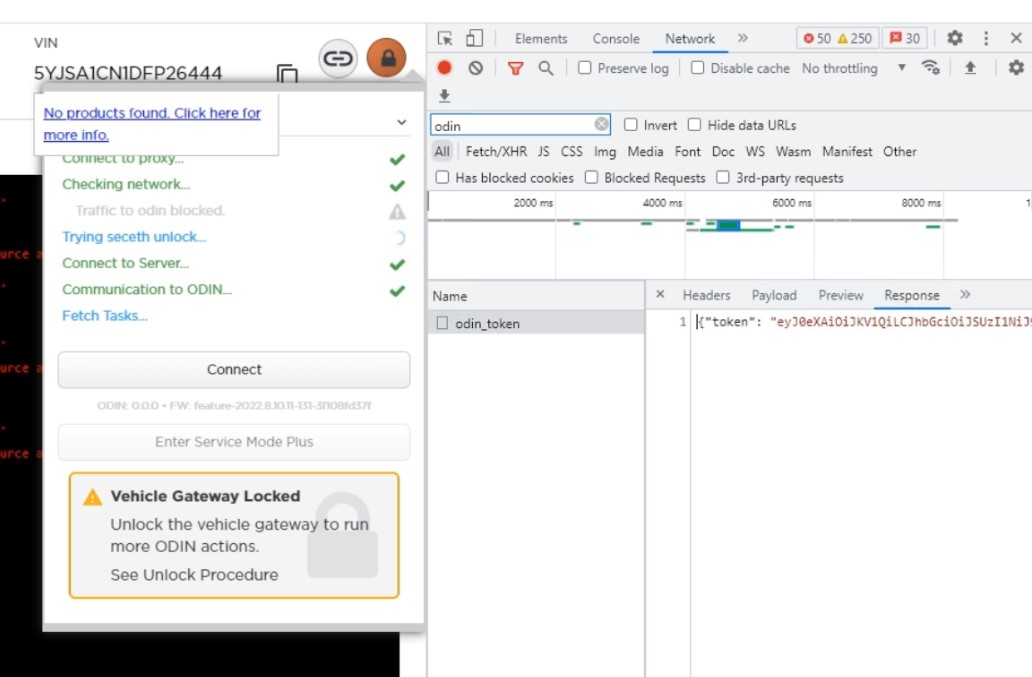
Download and install Toolbox Proxy

Login Toolbox 3 online

Copy Oden token to test.json file

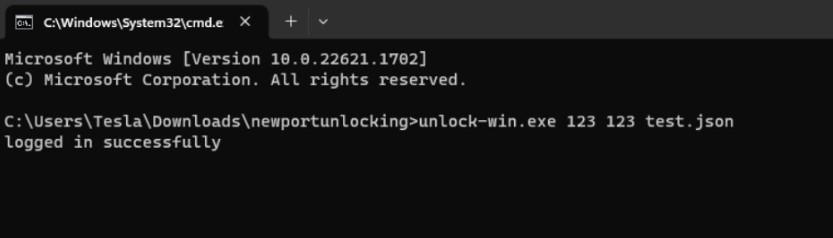
Run port unlocking program

Turn on ignition on vehicle

Connect vehicle to WiFi

Open Ubuntu 18

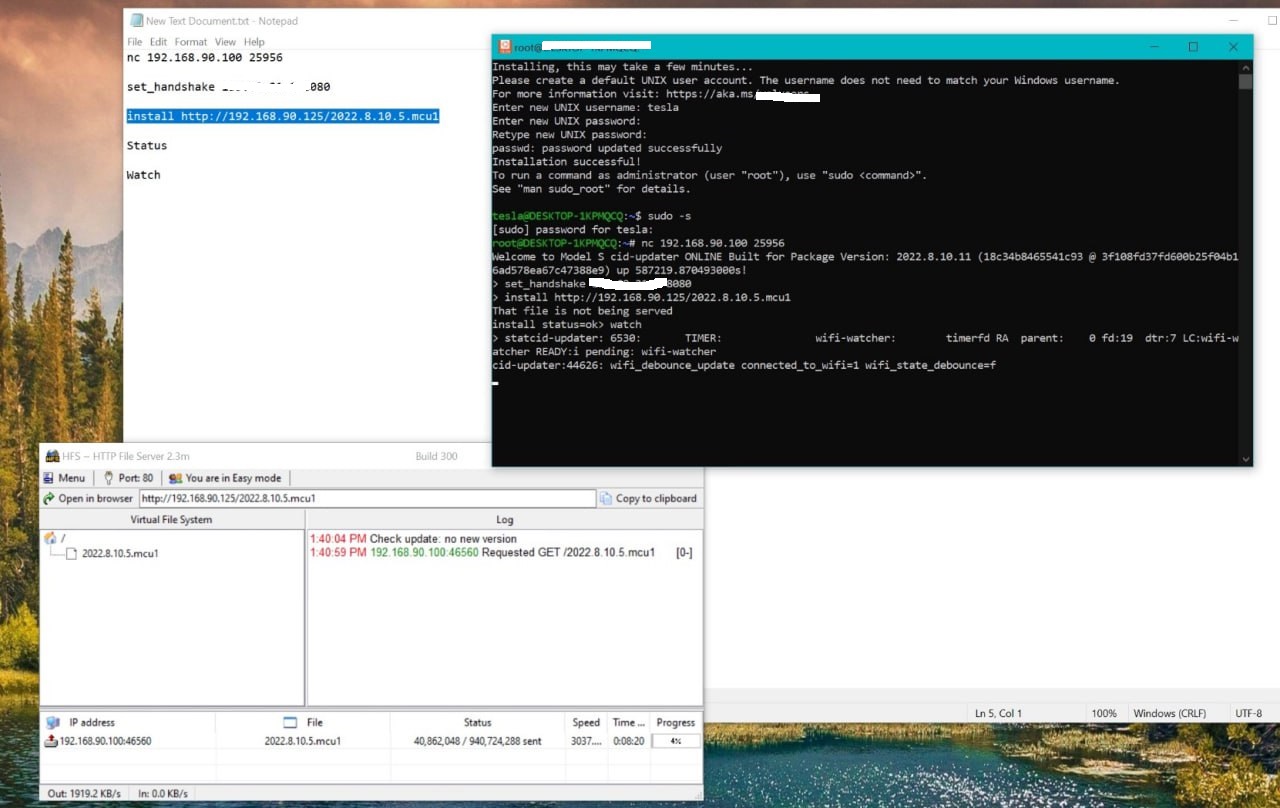
Nc 192.168.90.100 25956

Use my handshake server IP address (100$ and I will show you IP address)

Download HFS File Server

Set 192.168.90.125 IP HFS File Server

Open HFS File Server FW update file

Download my FW update file 2022.8.10.5 (100$ file on my Mega)

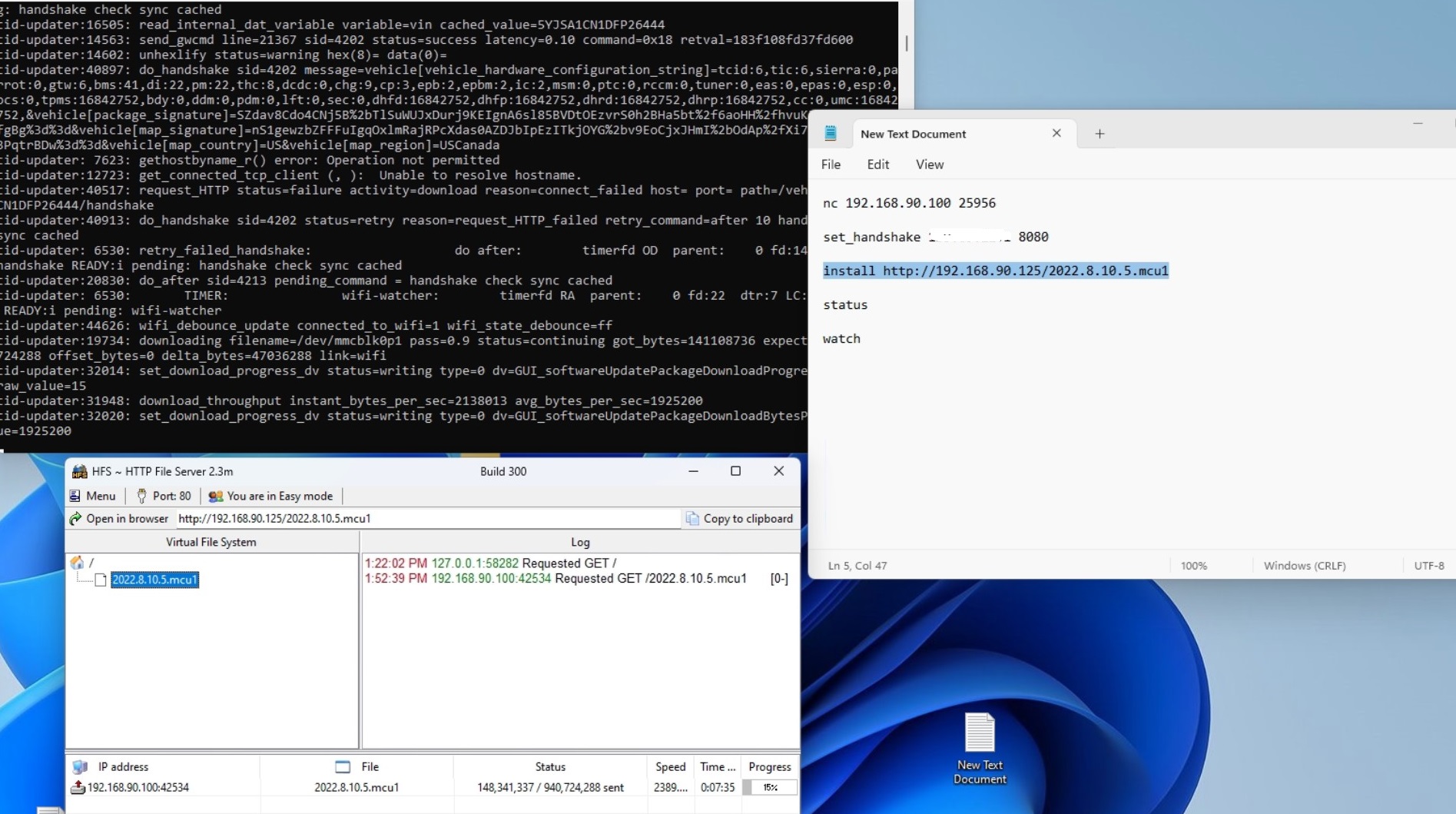
Copy paste install command with Ubuntu

Wait until green line will be gone

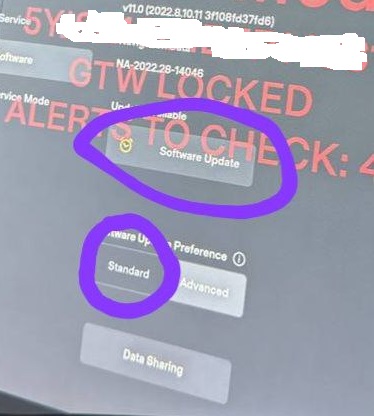
Wait and press Software update

Enroll Now

Ready to enroll? Enroll in this course and gain comprehensive knowledge.

Google Reviews

See what our customers say about our Tesla services

5.0(6 reviews)
ET

Erik Thorsen

Excellent service! They helped me restore Supercharger access on my Model 3. Professional, fast, and reliable. Highly recommended!

2 weeks ago

MK

Maja Kowalczyk

Outstanding support for Tesla diagnostics. The team is knowledgeable and responsive. Solved my navigation issues quickly.

1 month ago

LB

Lars Björnström

Best Tesla service I've used. They remotely configured my Model Y and everything works perfectly now. Great value!

3 weeks ago

SA

Sofia Andersson

Professional service with excellent communication. They helped me with root access and explained everything clearly. Very satisfied!

1 month ago

TN

Tomasz Nowak

Fast and reliable Tesla configuration service. They fixed my MCU issues remotely. Would definitely use again!

2 weeks ago

IB

Ingrid Bergman

Amazing experience! The training course was comprehensive and well-structured. Learned a lot about Tesla diagnostics.

3 weeks ago