Tesla Unveils 2025 Holiday Update: Introducing Grok Commands, Enhanced Santa Mode, Dashcam FSD Overlay, Yet CarPlay Absent
The official unveiling of the 2025 Holiday Update introduces a standout feature: the integration of Grok into vehicle navigation. However, the true essence lies in the extensive array of wishlist items included in this update.
The 2025 Holiday Update has been officially unveiled, showcasing an array of highly anticipated features that Tesla has now brought to fruition. While the headline feature is the integration of Grok into vehicle navigation, what truly stands out is the extensive list of wishlist items that Tesla has finally delivered.
From addressing minor issues and enhancing quality of life to introducing significant new features, the Holiday Update offers a blend of both categories.
Get ready for a treat, as Santa Optimus is set to bring these features to your doorstep soon.
Update: The 2025 Holiday Update is currently being rolled out to customers with update 2025.44.25.1.
Grok Commands
The most significant addition in the 2025 Holiday Update is Grok's capability to add and modify navigation destinations. You can now instruct Grok to add a stop or change destinations, all in a single command. To utilize this feature, ensure Grok's in-vehicle personality is set to Assistant mode, as Navigation Commands will not function in other modes like Storyteller or Language Tutor.
Since Grok is currently exclusive to AMD vehicles in the U.S. and Canada, this feature may not be accessible on vehicles equipped with an Intel MCU for now. There is no information yet on Grok's expansion beyond North America.
Navigation Enhancements
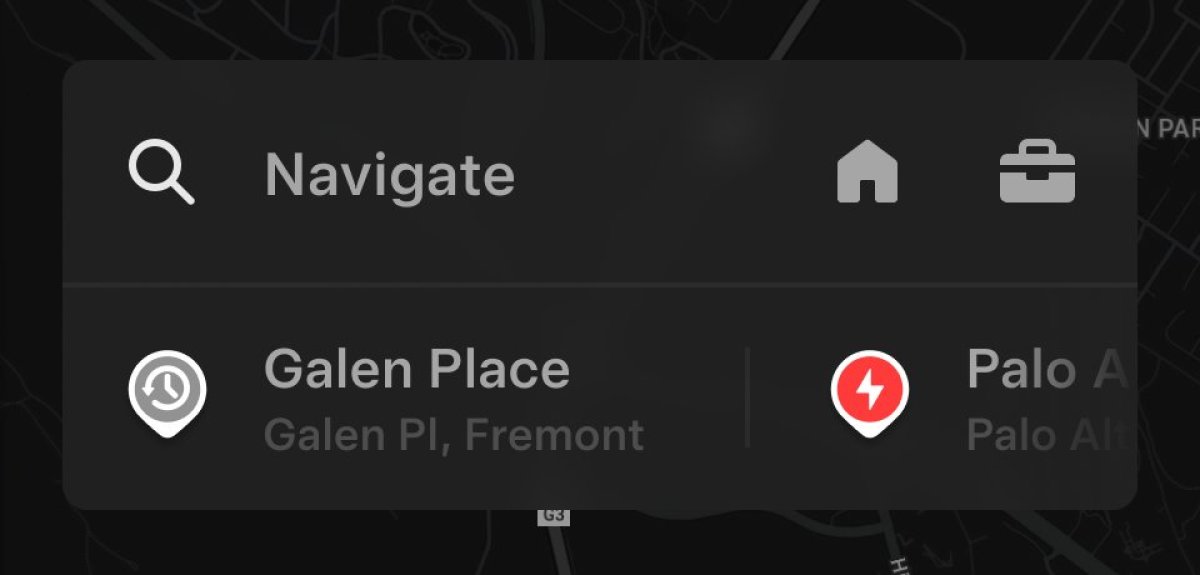
Every year brings a host of improvements to navigation and charging, and this year is no different. The navigation menu has been revamped, allowing you to rearrange your favorites as you see fit and set Home and Work locations by dropping a pin on the map. Tesla now suggests destinations based on your recent trips and habits while parked, displayed beneath the navigation search bar.
By tapping the navigation search, you can access a full list of recent and recommended destinations. This feature is expected to be available on all vehicles.
Supercharger Site Maps
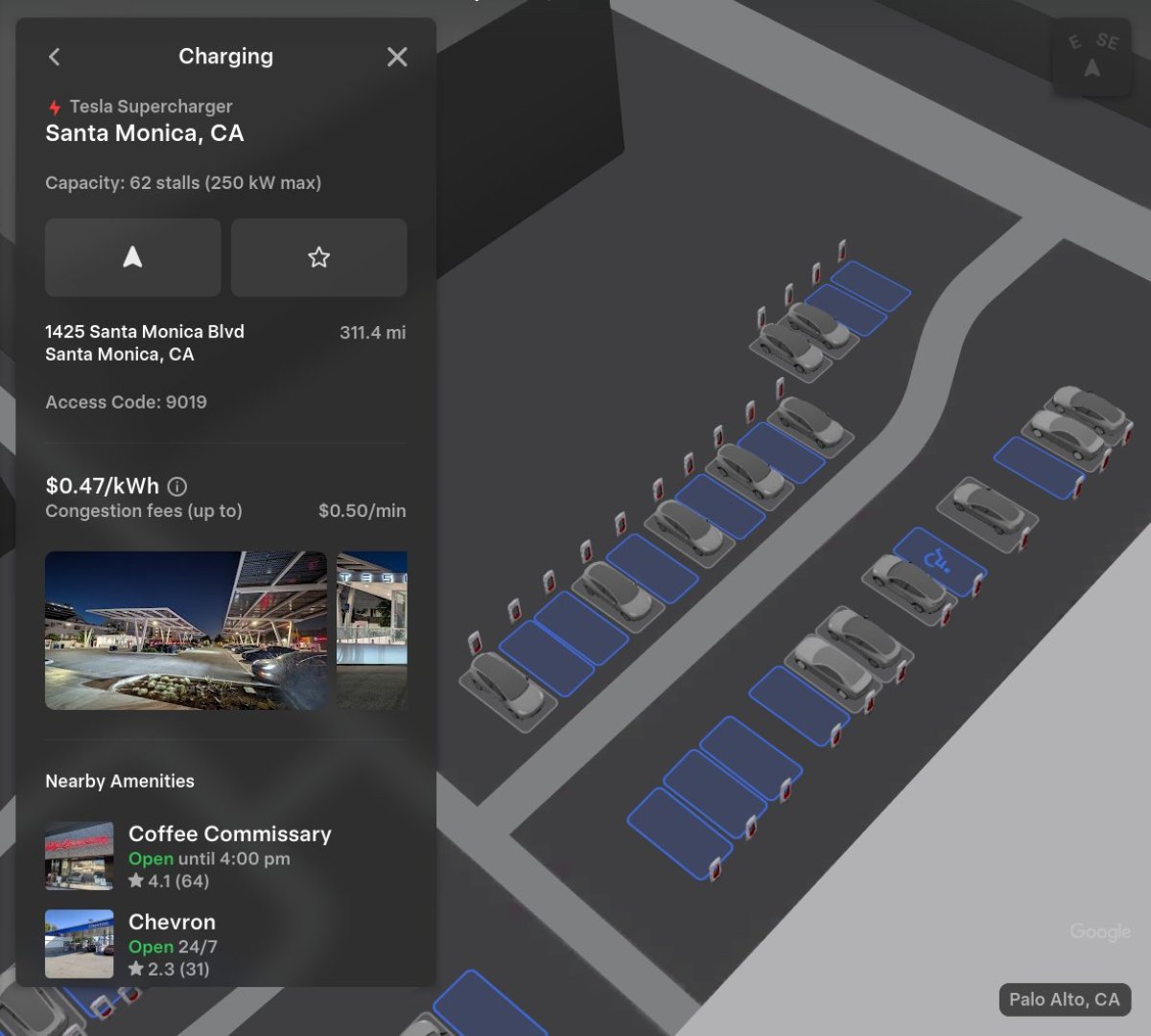
Certain Tesla Supercharger locations now feature 3D views. When viewing a Supercharger in the navigation menu, you can tap "View Site Map" to access the 3D map. Upon arrival at the location, the 3D site map displays a top-down view of the site layout and live occupancy of each stall, allowing you to select a parking spot.
While this feature may be limited to AMD-equipped vehicles, its availability for Intel vehicles remains uncertain.
Automatic HOV Routing
Tesla has introduced automatic HOV routing based on lane restrictions, selecting the HOV lane when your vehicle is eligible, considering factors like time, location, passenger count, and local regulations. This feature can be enabled from Controls > Navigation > Use HOV Lanes and is expected to be available across regions.
Charge Limit Per Location
You can now set a maximum charge limit for specific locations, ensuring your vehicle charges to your preferred level upon arrival. This feature is anticipated to be accessible on all vehicles.
Dashcam Viewer Update
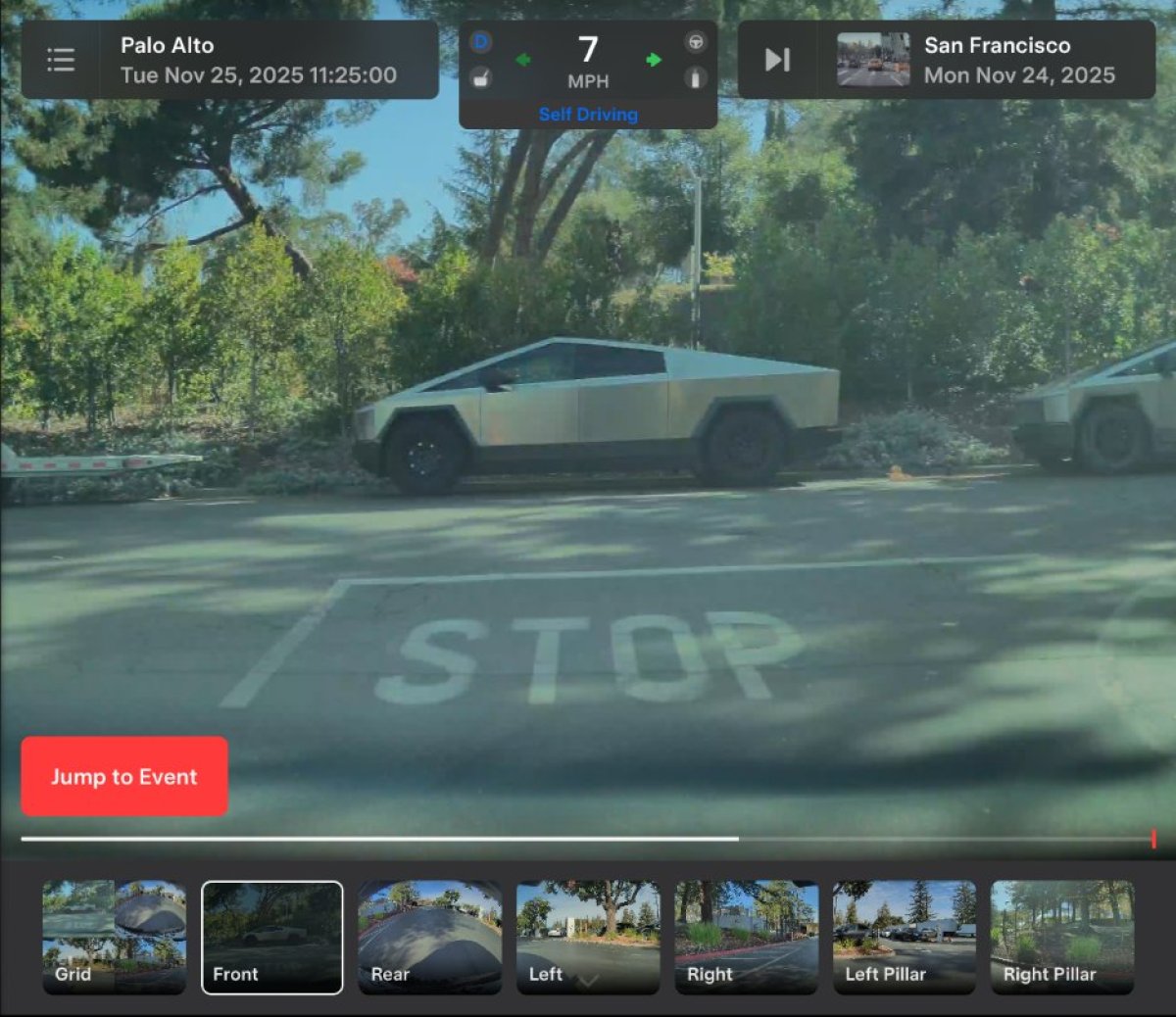
The Dashcam Viewer now displays additional details directly in the UI, including vehicle speed, gear, steering wheel angle, accelerator and brake pressure, and self-driving status. This update is expected to be available for all vehicles.
Phone Left Behind Chime
A new feature alerts you a few seconds after the doors close if a phone key is left in the cabin or on the wireless charger without any occupants detected. This feature requires Ultra-wideband (UWB) and is available on specific Tesla models.
Enable/Disable Wireless Charging Pads
You now have the ability to turn off the wireless charging pads in your vehicle, addressing user requests to prevent phones from overheating during charging. This feature can be accessed from Controls and is applicable to various Tesla models.
Spotify UI Update
The latest update includes minor enhancements to Spotify, allowing you to add tracks to your queue from search results and scroll through large playlists without paging. While there is no Spotify Hi-Fi support yet, the new UI is expected to be compatible with all vehicles.
Tesla Photobooth
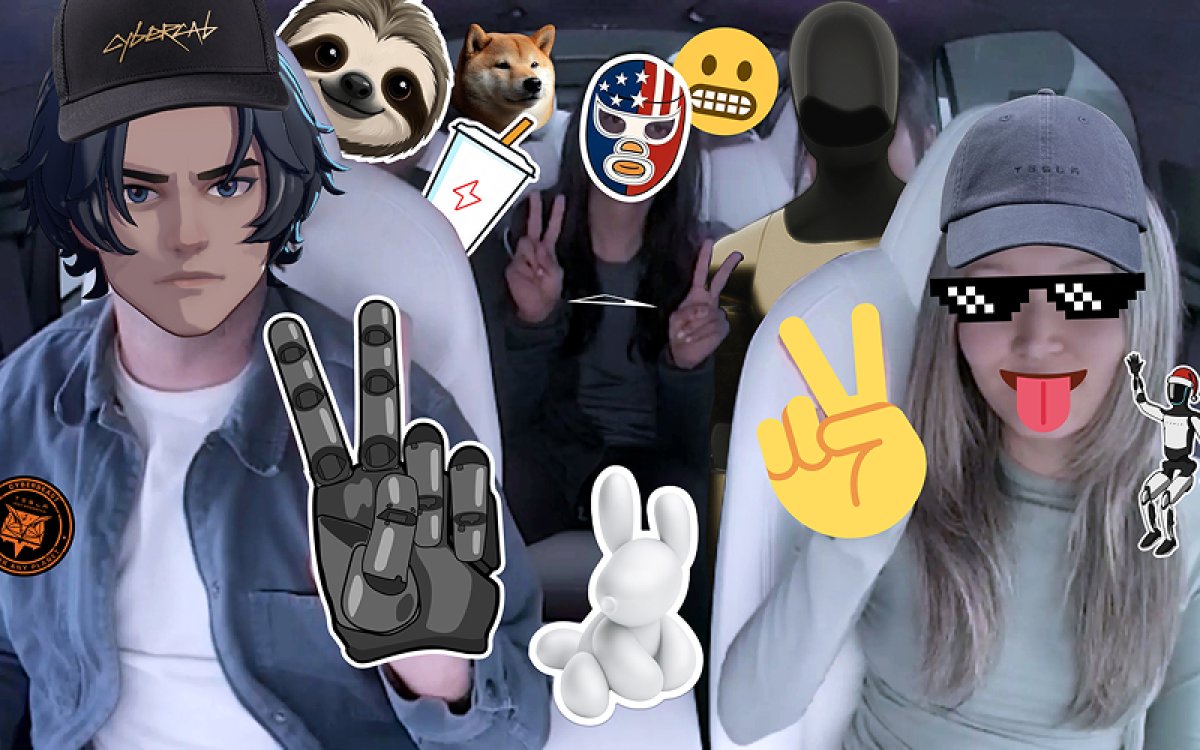
A new photobooth mode utilizing the cabin camera enables you to take in-vehicle selfies, add stickers, and share them via the Tesla App. This feature may require vehicles equipped with a cabin camera and AMD processor.
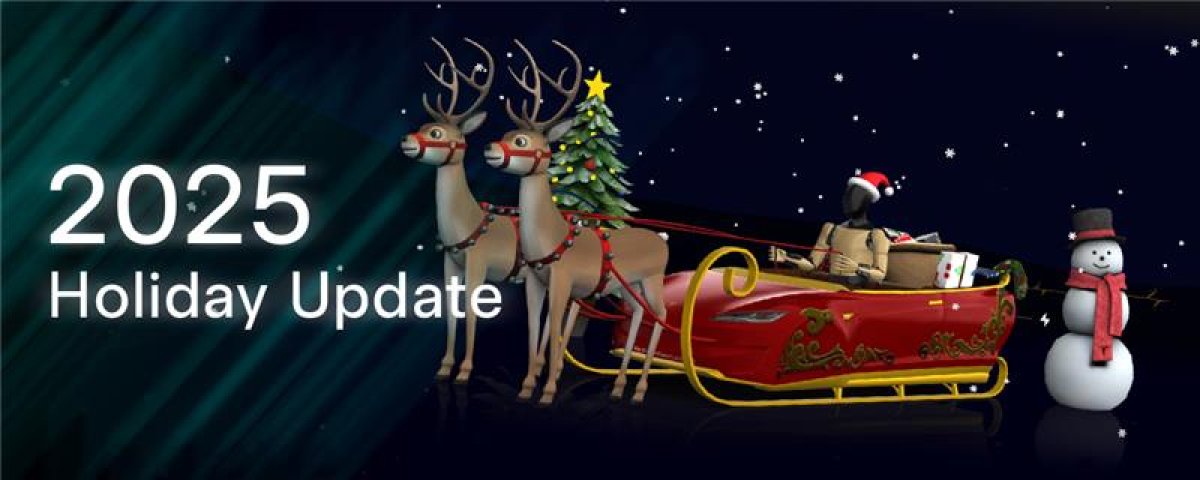
Santa Mode Update
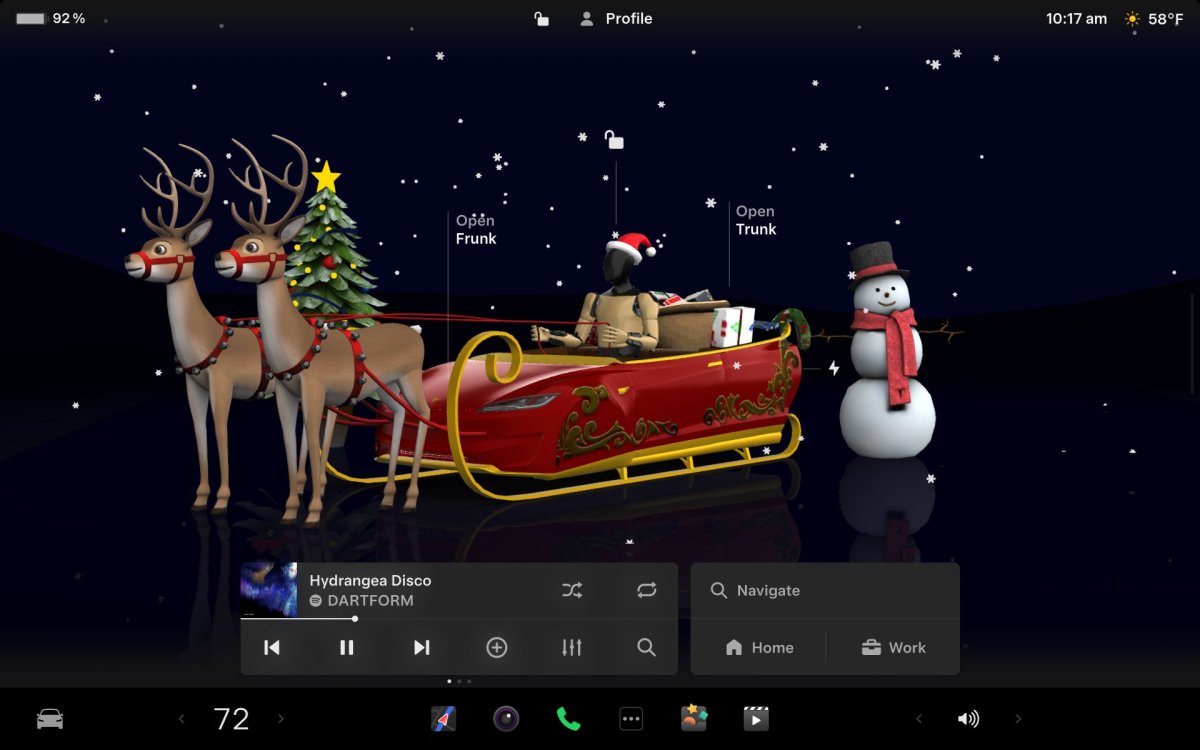
Santa Mode has been revamped with festive elements, including snowmen, trees, a unique lock chime, and snow effects, extending the holiday cheer to all vehicles. Some features may be simplified for older Intel vehicles.
Light Show Update
The addition of a new light show, Jingle Rush, and updates to existing light shows offer exciting new effects and controls, fostering creativity among the light show community.
Custom Wraps & License Plates
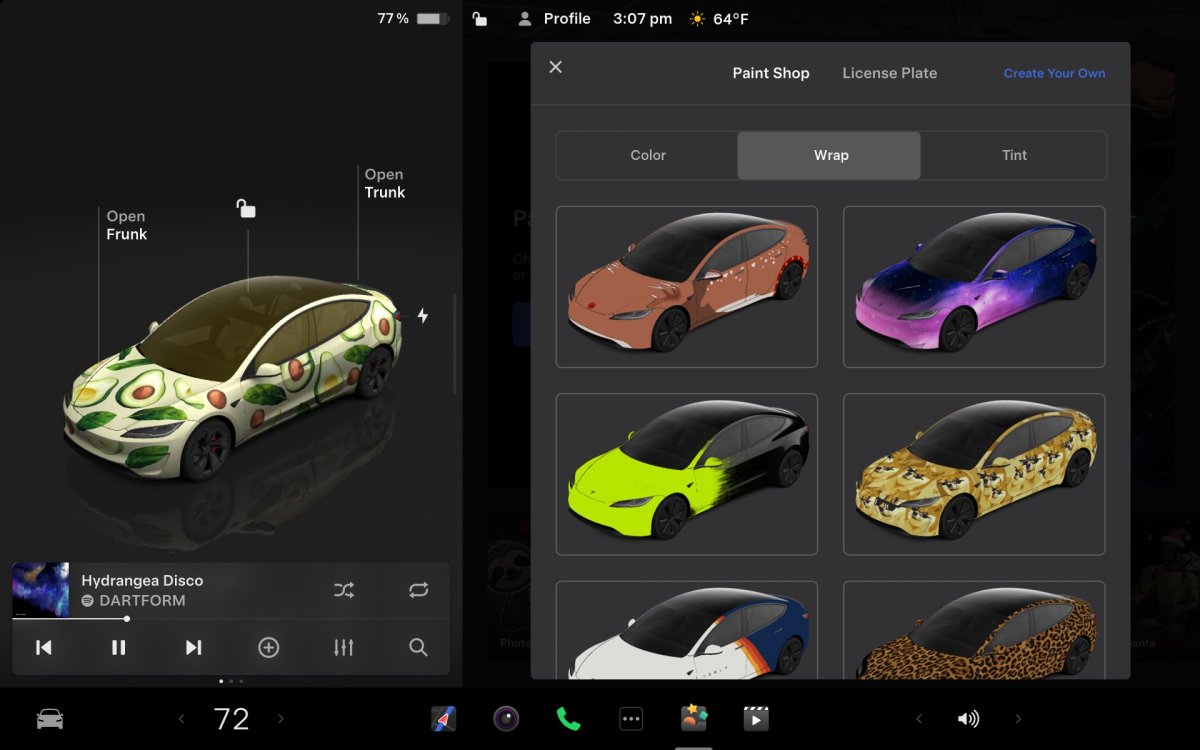
Custom wraps and license plates, initially available on the Cybertruck, are now accessible for all vehicle models, allowing personalization through pre-loaded or custom options. This feature, along with window tinting, is expected to be available for select models.
SpaceX ISS Docking Simulator
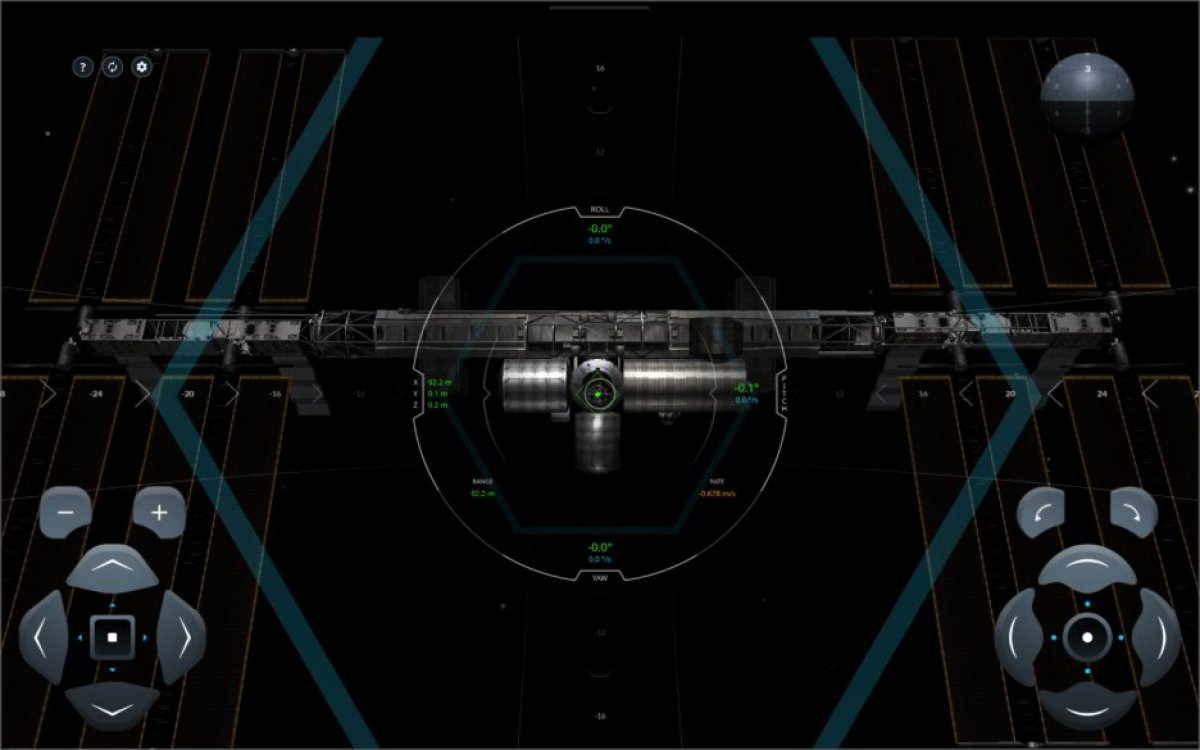
Tesla has introduced a new game that allows players to simulate astronaut experiences in space with the SpaceX ISS Docking Simulator, accessible through Arcade. This game enables users to navigate their SpaceX Dragon pod towards the International Space Station using controls inspired by those utilized by NASA astronauts. It is anticipated that this game will be accessible on vehicles equipped with AMD technology.
Rainbow Rave Light Sync has received an enhancement, now allowing users to utilize rainbow colors instead of album-matched or preset colors during Rave Mode while the vehicle is parked. The accent lights will sync with the rhythm of the music. This feature is available on vehicles equipped with interior ambient lighting.
The Tron Mode Light Cycle lock sound has been integrated as a default sound option in the Lock Sounds list, fulfilling a long-standing request from users since the launch of Tron Mode. Explore additional lock sounds in the expanding Lock Sound list, accessible to all Tesla vehicles.
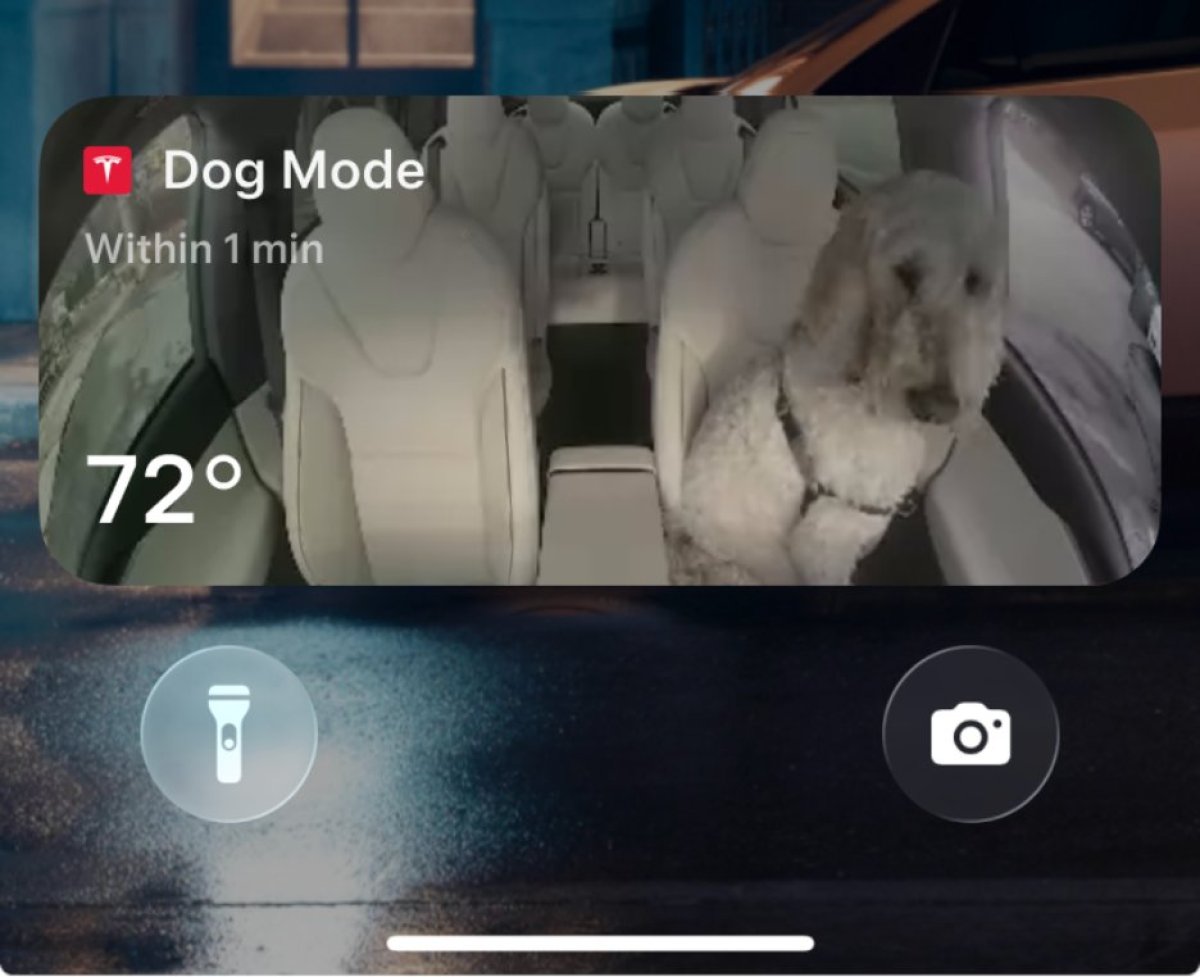
Dog Mode now offers a Live Activity feature for iOS users. Periodic snapshots of the vehicle's interior will be sent to the user's phone, providing updates on interior temperature, vehicle charge status, and external weather conditions. The Live Activity feature enables users to monitor their pets directly from the lock screen.
CarPlay is notably absent from this year's holiday update, despite previous speculation about its development. Rumors suggested potential confusion between CarPlay and AirPlay, but neither feature has been included in this update. Speculation remains that CarPlay may be exclusive to the Robotaxi service, catering to non-Tesla owners utilizing the taxi service. However, there is a possibility that Tesla is actively working on CarPlay for a future release.
Tesla unveiled the holiday update's features, likely coinciding with the rollout to Wave 1 employees, who typically receive the update ahead of the general public. The anticipated version of the holiday update is 2025.44.25, subject to change if any issues arise. The update is expected to commence distribution to select users in the upcoming week.
While this update is feature-rich, Tesla may not disclose every enhancement, leaving room for users to explore further upon receiving the update.
For the latest information on the ongoing update release, refer to the official release notes.
From addressing minor issues and enhancing quality of life to introducing significant new features, the Holiday Update offers a blend of both categories.
Get ready for a treat, as Santa Optimus is set to bring these features to your doorstep soon.
Update: The 2025 Holiday Update is currently being rolled out to customers with update 2025.44.25.1.
Grok Commands
The most significant addition in the 2025 Holiday Update is Grok's capability to add and modify navigation destinations. You can now instruct Grok to add a stop or change destinations, all in a single command. To utilize this feature, ensure Grok's in-vehicle personality is set to Assistant mode, as Navigation Commands will not function in other modes like Storyteller or Language Tutor.
Since Grok is currently exclusive to AMD vehicles in the U.S. and Canada, this feature may not be accessible on vehicles equipped with an Intel MCU for now. There is no information yet on Grok's expansion beyond North America.
Navigation Enhancements
Every year brings a host of improvements to navigation and charging, and this year is no different. The navigation menu has been revamped, allowing you to rearrange your favorites as you see fit and set Home and Work locations by dropping a pin on the map. Tesla now suggests destinations based on your recent trips and habits while parked, displayed beneath the navigation search bar.
By tapping the navigation search, you can access a full list of recent and recommended destinations. This feature is expected to be available on all vehicles.
Supercharger Site Maps
Certain Tesla Supercharger locations now feature 3D views. When viewing a Supercharger in the navigation menu, you can tap "View Site Map" to access the 3D map. Upon arrival at the location, the 3D site map displays a top-down view of the site layout and live occupancy of each stall, allowing you to select a parking spot.
While this feature may be limited to AMD-equipped vehicles, its availability for Intel vehicles remains uncertain.
Automatic HOV Routing
Tesla has introduced automatic HOV routing based on lane restrictions, selecting the HOV lane when your vehicle is eligible, considering factors like time, location, passenger count, and local regulations. This feature can be enabled from Controls > Navigation > Use HOV Lanes and is expected to be available across regions.
Charge Limit Per Location
You can now set a maximum charge limit for specific locations, ensuring your vehicle charges to your preferred level upon arrival. This feature is anticipated to be accessible on all vehicles.
Dashcam Viewer Update
The Dashcam Viewer now displays additional details directly in the UI, including vehicle speed, gear, steering wheel angle, accelerator and brake pressure, and self-driving status. This update is expected to be available for all vehicles.
Phone Left Behind Chime
A new feature alerts you a few seconds after the doors close if a phone key is left in the cabin or on the wireless charger without any occupants detected. This feature requires Ultra-wideband (UWB) and is available on specific Tesla models.
Enable/Disable Wireless Charging Pads
You now have the ability to turn off the wireless charging pads in your vehicle, addressing user requests to prevent phones from overheating during charging. This feature can be accessed from Controls and is applicable to various Tesla models.
Spotify UI Update
The latest update includes minor enhancements to Spotify, allowing you to add tracks to your queue from search results and scroll through large playlists without paging. While there is no Spotify Hi-Fi support yet, the new UI is expected to be compatible with all vehicles.
Tesla Photobooth
A new photobooth mode utilizing the cabin camera enables you to take in-vehicle selfies, add stickers, and share them via the Tesla App. This feature may require vehicles equipped with a cabin camera and AMD processor.
Santa Mode Update
Santa Mode has been revamped with festive elements, including snowmen, trees, a unique lock chime, and snow effects, extending the holiday cheer to all vehicles. Some features may be simplified for older Intel vehicles.
Light Show Update
The addition of a new light show, Jingle Rush, and updates to existing light shows offer exciting new effects and controls, fostering creativity among the light show community.
Custom Wraps & License Plates
Custom wraps and license plates, initially available on the Cybertruck, are now accessible for all vehicle models, allowing personalization through pre-loaded or custom options. This feature, along with window tinting, is expected to be available for select models.
SpaceX ISS Docking Simulator
Tesla has introduced a new game that allows players to simulate astronaut experiences in space with the SpaceX ISS Docking Simulator, accessible through Arcade. This game enables users to navigate their SpaceX Dragon pod towards the International Space Station using controls inspired by those utilized by NASA astronauts. It is anticipated that this game will be accessible on vehicles equipped with AMD technology.
Rainbow Rave Light Sync has received an enhancement, now allowing users to utilize rainbow colors instead of album-matched or preset colors during Rave Mode while the vehicle is parked. The accent lights will sync with the rhythm of the music. This feature is available on vehicles equipped with interior ambient lighting.
The Tron Mode Light Cycle lock sound has been integrated as a default sound option in the Lock Sounds list, fulfilling a long-standing request from users since the launch of Tron Mode. Explore additional lock sounds in the expanding Lock Sound list, accessible to all Tesla vehicles.
Dog Mode now offers a Live Activity feature for iOS users. Periodic snapshots of the vehicle's interior will be sent to the user's phone, providing updates on interior temperature, vehicle charge status, and external weather conditions. The Live Activity feature enables users to monitor their pets directly from the lock screen.
CarPlay is notably absent from this year's holiday update, despite previous speculation about its development. Rumors suggested potential confusion between CarPlay and AirPlay, but neither feature has been included in this update. Speculation remains that CarPlay may be exclusive to the Robotaxi service, catering to non-Tesla owners utilizing the taxi service. However, there is a possibility that Tesla is actively working on CarPlay for a future release.
Tesla unveiled the holiday update's features, likely coinciding with the rollout to Wave 1 employees, who typically receive the update ahead of the general public. The anticipated version of the holiday update is 2025.44.25, subject to change if any issues arise. The update is expected to commence distribution to select users in the upcoming week.
While this update is feature-rich, Tesla may not disclose every enhancement, leaving room for users to explore further upon receiving the update.
For the latest information on the ongoing update release, refer to the official release notes.