Tesla Adds Zoom Capability to Dashcam Viewer — Watch the Video
The 2025 Holiday Update introduced headline features—Grok with Navigation Commands, Paint Shop, Tesla Photobooth, and more—while placing strong emphasis on enhancements to Tesla’s Dashcam Viewer.
The 2025 Holiday Update introduced headline features like Grok with Navigation Commands, Paint Shop, and Tesla Photobooth — and it also placed a major emphasis on improvements to the Dashcam Viewer.
Dashcam Viewer enhancements include a redesigned UI for HW3 vehicles, vehicle telemetry embedded in every clip, and several previously undocumented features.
Undocumented features
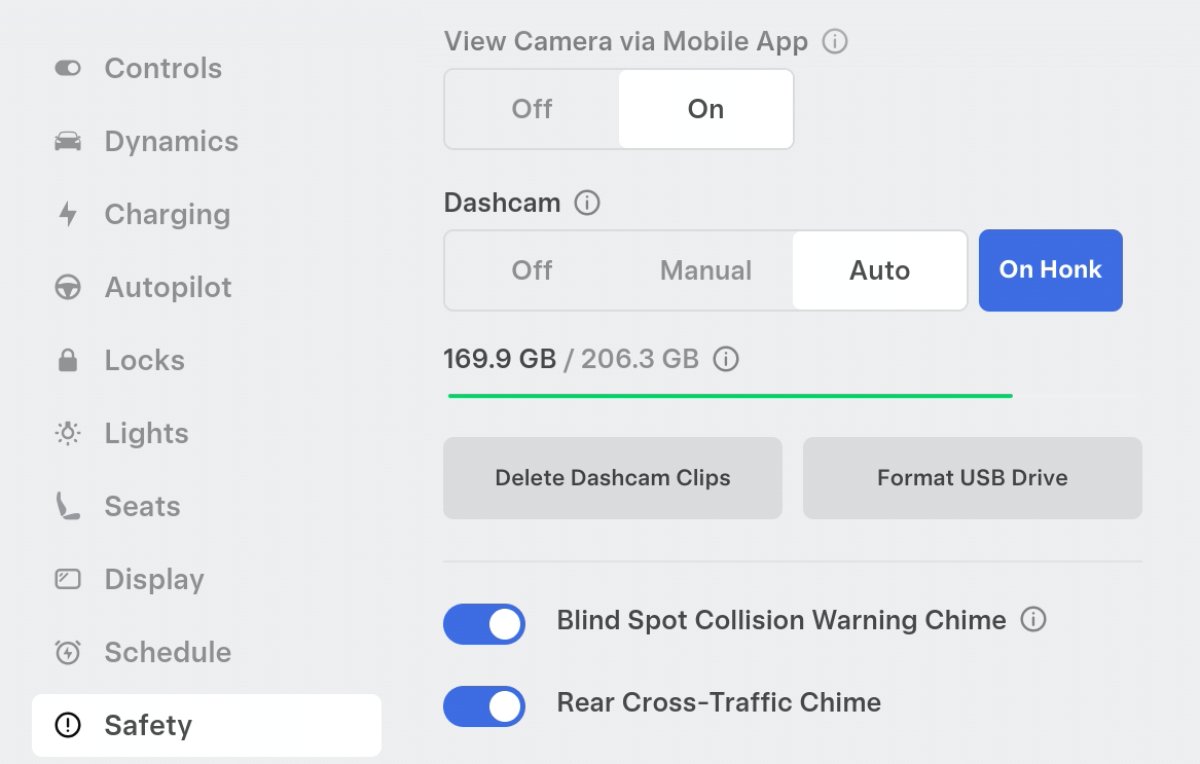
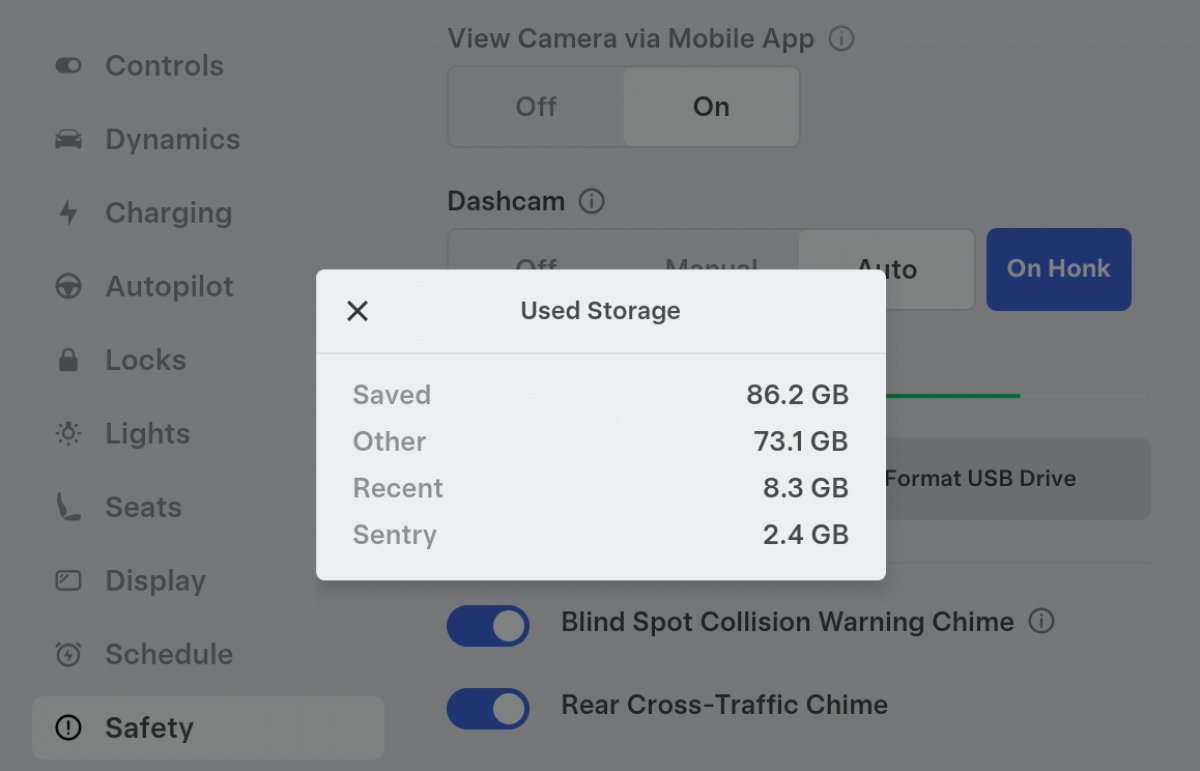
- USB storage details: You can now view available free space on your USB drive without removing it. Tapping the info (i) icon reveals which features are consuming space (Dashcam, Sentry Mode, USB music, etc.).
- Sentry Mode filters: Sentry clips can be filtered by trigger type, making it easy to locate videos captured by door-handle interaction, manual saves, horn activation, and similar events.
Pinch-to-zoom and pan
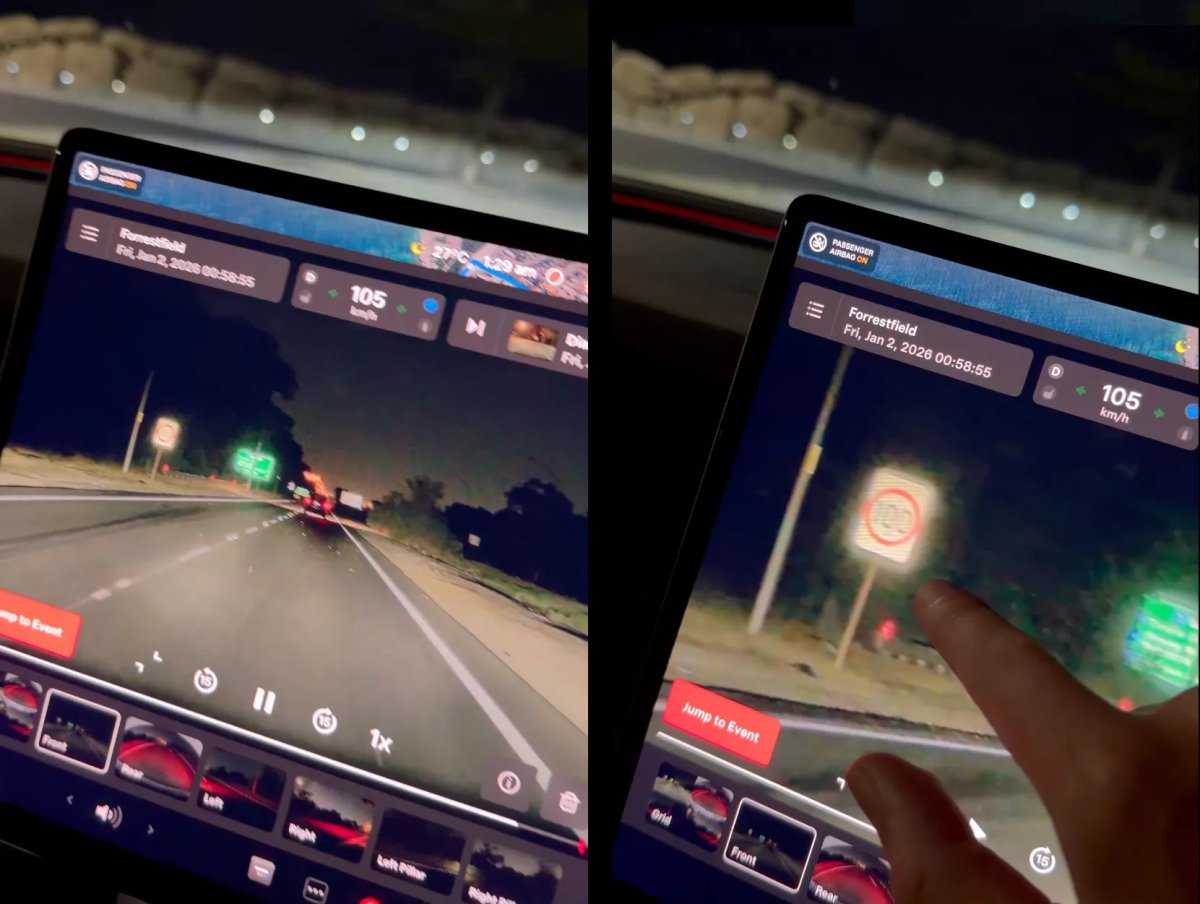
A particularly useful addition is pinch-to-zoom in the Dashcam Viewer for vehicles equipped with current‑generation AMD Ryzen hardware. Owners can now zoom in on video to examine details (license plates, distant faces, etc.) and pan while zoomed — functionality that previously required removing the USB and inspecting clips on a computer. Zoom works across all camera views, including grid view. At this time, Intel Atom–equipped vehicles do not receive this feature.
Compatibility and technical notes
The capability appears limited to cars with the AMD Ryzen platform. Although Tesla’s release notes did not specify reasons, it’s likely related to camera and processing differences: HW3 camera sensors capture far fewer pixels than HW4, leaving less image data to zoom into. Despite that, Tesla has enabled the feature for AMD Ryzen vehicles even when they use HW3 sensors. Early reports that restricted the feature to HW4 have since been updated to reflect AMD/HW3 availability.
Practical benefit
Beyond simple UI polish, pinch-to-zoom addresses a practical need: Tesla’s wide-angle (fisheye) lenses can make objects appear smaller on screen, so in-app zoom makes identifying license plates and other identifying details significantly easier.
Dashcam Viewer enhancements include a redesigned UI for HW3 vehicles, vehicle telemetry embedded in every clip, and several previously undocumented features.
Undocumented features
- USB storage details: You can now view available free space on your USB drive without removing it. Tapping the info (i) icon reveals which features are consuming space (Dashcam, Sentry Mode, USB music, etc.).
- Sentry Mode filters: Sentry clips can be filtered by trigger type, making it easy to locate videos captured by door-handle interaction, manual saves, horn activation, and similar events.
Pinch-to-zoom and pan
A particularly useful addition is pinch-to-zoom in the Dashcam Viewer for vehicles equipped with current‑generation AMD Ryzen hardware. Owners can now zoom in on video to examine details (license plates, distant faces, etc.) and pan while zoomed — functionality that previously required removing the USB and inspecting clips on a computer. Zoom works across all camera views, including grid view. At this time, Intel Atom–equipped vehicles do not receive this feature.
Compatibility and technical notes
The capability appears limited to cars with the AMD Ryzen platform. Although Tesla’s release notes did not specify reasons, it’s likely related to camera and processing differences: HW3 camera sensors capture far fewer pixels than HW4, leaving less image data to zoom into. Despite that, Tesla has enabled the feature for AMD Ryzen vehicles even when they use HW3 sensors. Early reports that restricted the feature to HW4 have since been updated to reflect AMD/HW3 availability.
Practical benefit
Beyond simple UI polish, pinch-to-zoom addresses a practical need: Tesla’s wide-angle (fisheye) lenses can make objects appear smaller on screen, so in-app zoom makes identifying license plates and other identifying details significantly easier.