Tesla’s "Mars Mode" Easter Egg: A Complete Guide to Its Features and Functions
Mars Mode is a playful Easter egg that reimagines your Tesla’s navigation maps, transporting you from Earth to the Red Planet. Initially released as a simple map overlay, the feature...
Mars Mode is a playful Tesla Easter egg that replaces your vehicle’s navigation map with a high-resolution rendering of the Martian surface. Originally hidden behind a code, the feature has since been streamlined and expanded with visual enhancements.
What is Mars Mode?
Mars Mode was one of Tesla’s early hidden features. It used to require entering a code after tapping the Tesla “T” logo; today it’s accessible from the Toybox. When enabled, it transforms map and UI elements to evoke a trip to Mars.
Key features
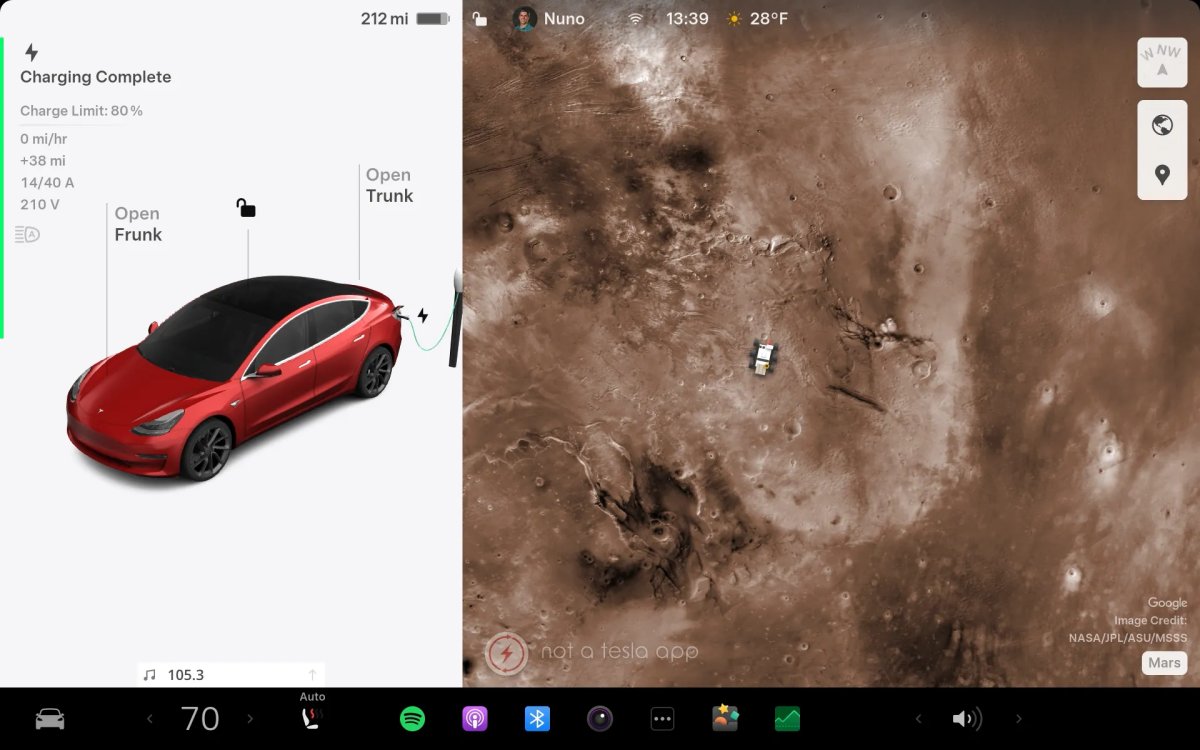
- Navigation map: Replaces the standard map with a high-resolution map of Mars.
- Vehicle avatar: Your car’s map icon becomes a Mars rover.
- Ambient lighting: Cars with RGB cabin lighting switch to a soft orange hue.
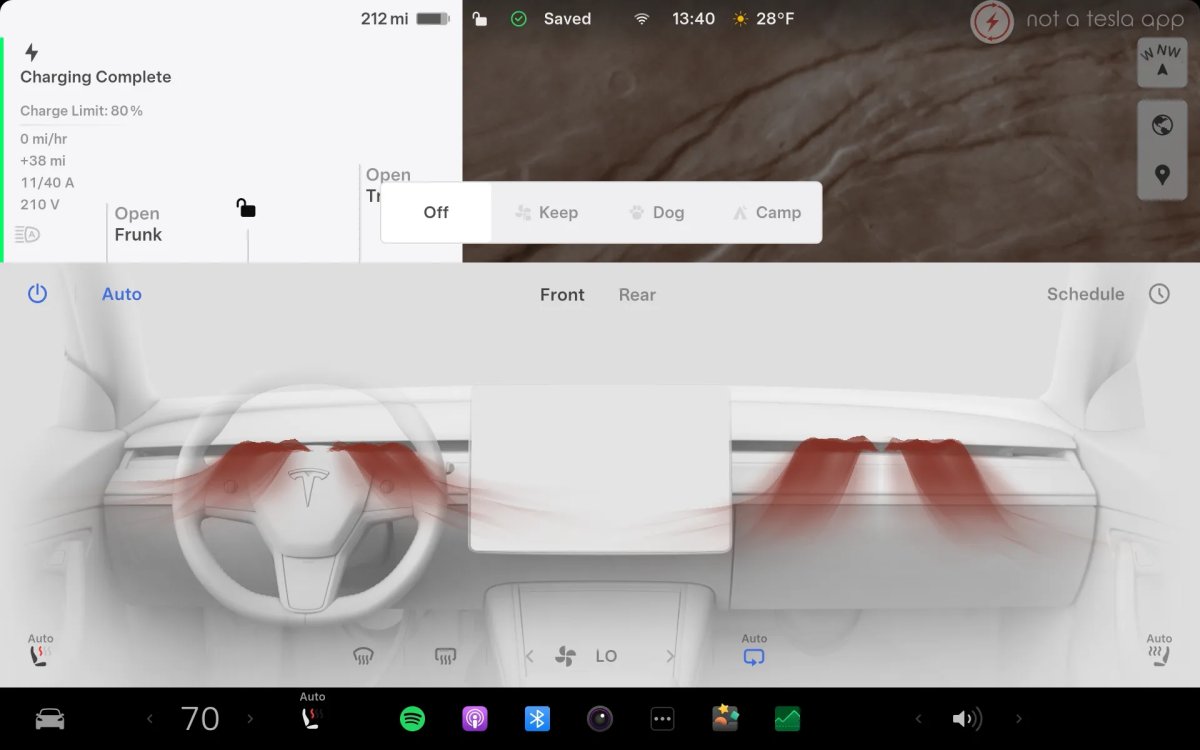
- Climate visuals (in-car): The climate display shows red airflow indicators (even when cold air is active).
- Climate visuals (Tesla app): The app shows orange airflow indicators.
- Parked visualization: On vehicles with AMD Ryzen hardware, the parked-screen background is replaced with a Mars-themed scene.
Removed element
Tesla previously swapped the vehicle visualization in the Software menu for a SpaceX Starship graphic; that change has been reverted and the vehicle visualization now appears as usual.
How to activate Mars Mode
- Easier method: Open Apps > Toybox, find the Mars card, and enable Mars Mode.
- Original (Easter egg) method: Go to Controls > Software, press and hold the vehicle model name until a ripple appears, release, enter the code “Mars,” and confirm.
Mars Mode is a simple, low-impact way to add a bit of whimsy to your Tesla’s interface while showcasing Tesla’s playful attention to UI detail.
What is Mars Mode?
Mars Mode was one of Tesla’s early hidden features. It used to require entering a code after tapping the Tesla “T” logo; today it’s accessible from the Toybox. When enabled, it transforms map and UI elements to evoke a trip to Mars.
Key features
- Navigation map: Replaces the standard map with a high-resolution map of Mars.
- Vehicle avatar: Your car’s map icon becomes a Mars rover.
- Ambient lighting: Cars with RGB cabin lighting switch to a soft orange hue.
- Climate visuals (in-car): The climate display shows red airflow indicators (even when cold air is active).
- Climate visuals (Tesla app): The app shows orange airflow indicators.
- Parked visualization: On vehicles with AMD Ryzen hardware, the parked-screen background is replaced with a Mars-themed scene.
Removed element
Tesla previously swapped the vehicle visualization in the Software menu for a SpaceX Starship graphic; that change has been reverted and the vehicle visualization now appears as usual.
How to activate Mars Mode
- Easier method: Open Apps > Toybox, find the Mars card, and enable Mars Mode.
- Original (Easter egg) method: Go to Controls > Software, press and hold the vehicle model name until a ripple appears, release, enter the code “Mars,” and confirm.
Mars Mode is a simple, low-impact way to add a bit of whimsy to your Tesla’s interface while showcasing Tesla’s playful attention to UI detail.